
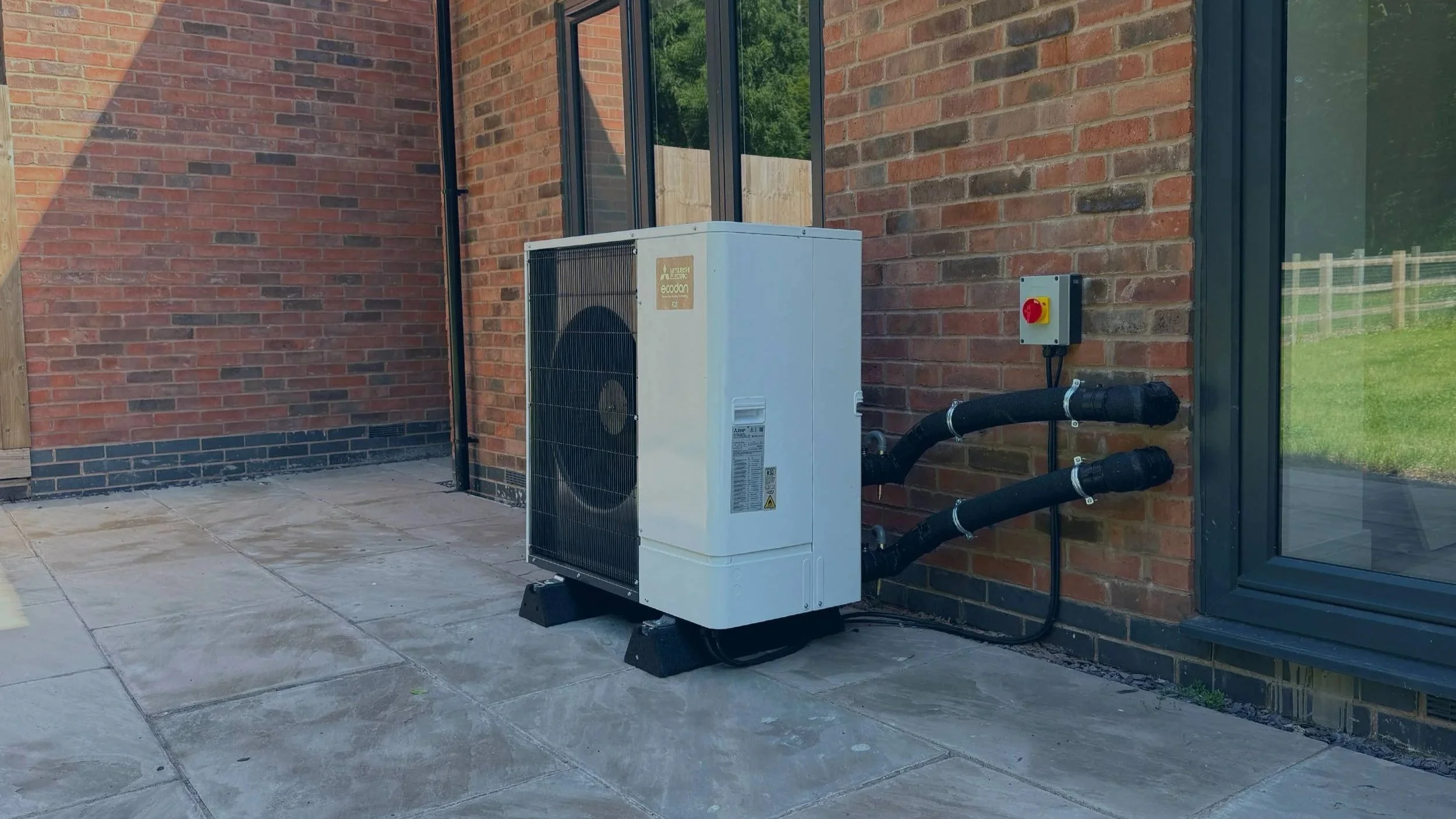
Setting Your Ecodan Immersion Heater to Produce Hot Water
If your Mitsubishi Ecodan has stopped producing hot water, you may be able to temporarily use the backup immersion heater to heat your hot water. This guide covers Ecodan systems with the FTC5 and FTC6 controllers.
Note that while the immersion is running, you will not have space heating.
Disclaimer: The back up immersion is essentially an electric boiler. As such, your running costs will be significantly higher. Alto Energy Limited accepts no responsibility for customers incurring additional running costs as a result of following these instructions.
How to switch to the backup immersion
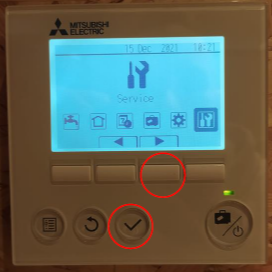
Open the Service Menu
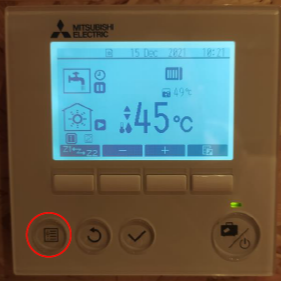
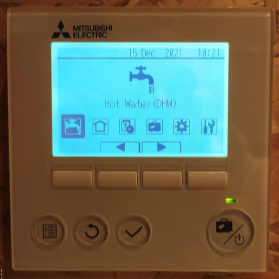
From the main screen, press and hold the menu button for around 5 seconds until the menu opens. Press the right arrow button until "Service" is highlighted, then press the tick button to enter the Service menu.
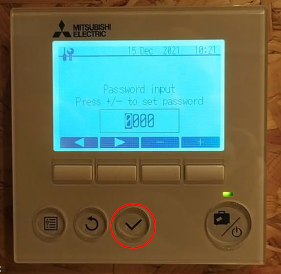
Enter the Password
When prompted for a password, enter "0000" and press the tick button.
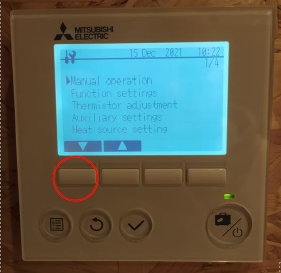
Go to Heat Source Setting
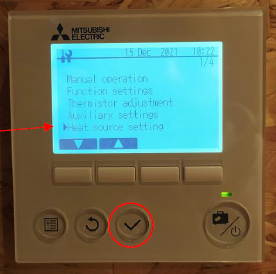
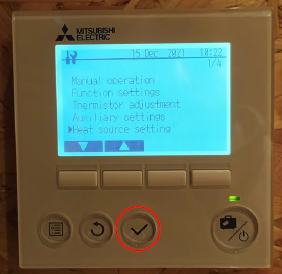
Press the down arrow button until "Heat source setting" is selected, then press the tick button.
Shut the system down
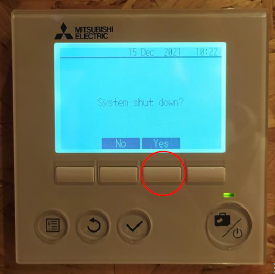
When asked "System shut down?", press "Yes" to shut the system down. Press the tick button again to enter the Heat source setting menu.
Switch to Heater mode
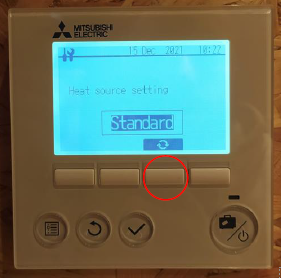
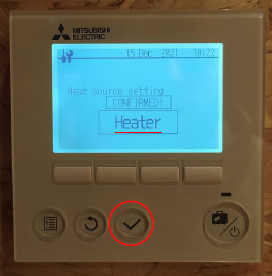
Press the Change button to switch the setting from "Standard" to "Heater", then press the tick button to save. The screen will confirm with "CONFIRMED".
Exit the service menu
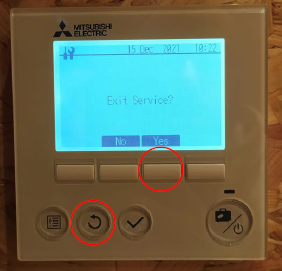
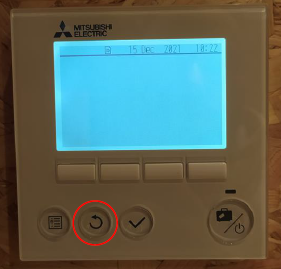
Press the return button until the screen asks "Exit Service?", then press "Yes". Press return again until you're back at the main screen, which will appear blank.
Turn the heat pump back on
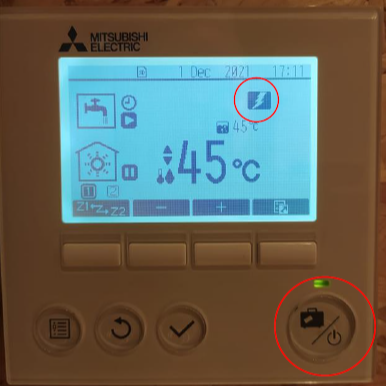
Press the Power button. If hot water needs reheating, you'll see the immersion symbol on the display (a lightning bolt inside a black box). Your Ecodan is now using the backup immersion only for hot water, with no space heating during this time.
Switching back to the heat pump
To turn the immersion off and return to normal heat pump operation, follow the same steps above and set the "Heat source setting" menu back to "Standard".
Still not working?
If you've followed the steps above and the backup immersion heater still isn't working, don't worry. Give our technical support team a call or fill in the contact form below and we'll get back to you.
If you've managed to get the immersion heater working, that's great. However, if you've had to switch to it because your heat pump isn't working as it should, there's likely still an issue that needs looking at.
Our technical support team may be able to help you over the phone, or we may recommend sending an engineer out to take a look.